> For the complete documentation index, see [llms.txt](https://docs.uptiq.ai/llms.txt). Markdown versions of documentation pages are available by appending `.md` to page URLs; this page is available as [Markdown](https://docs.uptiq.ai/start-here/console.md).

# Console

Build and run apps and agents, manage your project, and open Console tools.

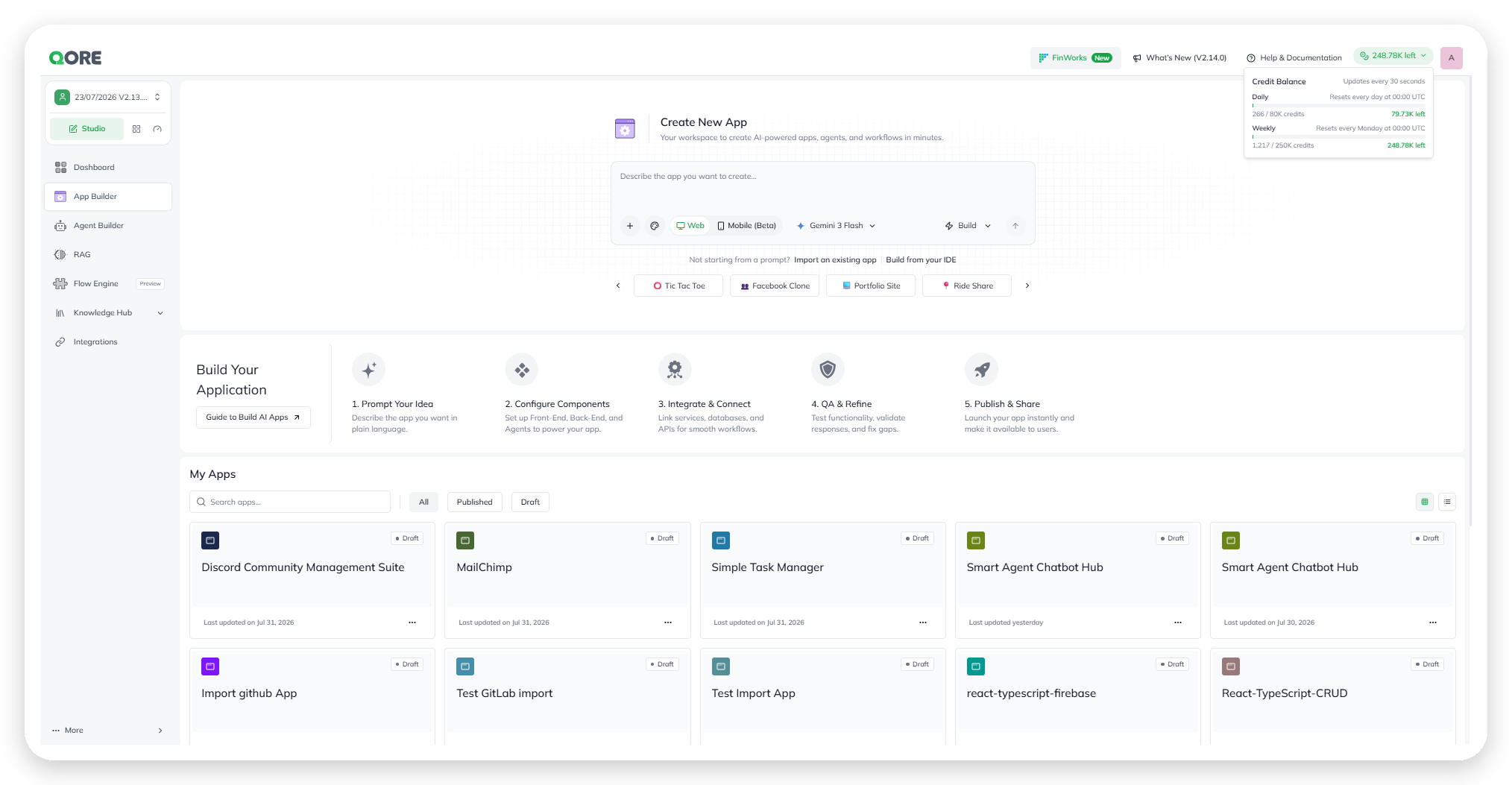
Console is where you build and run apps and agents. Start something new, review your project, and open every Console tool from one place.

<figure><img src="https://1326225582-files.gitbook.io/~/files/v0/b/gitbook-x-prod.appspot.com/o/spaces%2F0qmgQjJ5aArDTj2ACFHG%2Fuploads%2Fgit-blob-75f891939031c72910aab6ba475715a75cf62e2f%2Fqore_console_console-home-operator-prompt_rounded_shadow.png?alt=media" alt="The Console home screen, with the Operator chat prompt and a sidebar listing Operator, Apps, Agents, Knowledge, Flows, Store, Integrations, and Design Systems"><figcaption><p>The Console home screen.</p></figcaption></figure>

Open it at **Console → Dashboard**. Use **Control Center** to monitor and govern running apps and agents across your account.

{% hint style="info" %}
**Mobile** is a beta app target. **Flows** is a preview Console area.
{% endhint %}

## Start a build

Describe your intent in the Operator prompt. Operator coordinates the work needed to build an app, agent, knowledge base, or agentic app.

Operator can search or crawl a website when your request needs web context. For example, provide a URL to reuse its design system in an app or create a knowledge base from its content.

You can also select **Import an existing app** or **Build from your IDE** when you want to start from existing code.

<table data-view="cards"><thead><tr><th>Build in Console</th><th data-card-target data-type="content-ref">Learn more</th></tr></thead><tbody><tr><td>Start or import an app, then build and publish it.</td><td><a href="/console/app-builder.md">App Builder</a></td></tr><tr><td>Configure, test, deploy, and monitor an AI agent.</td><td><a href="/console/agent-builder/get-started.md">Get Started</a></td></tr><tr><td>Connect third-party services to your account.</td><td><a href="/integrations/integrations-hub.md">Integrations Hub</a></td></tr></tbody></table>

## Review your project

The Dashboard summarizes your current project:

* **Apps** and **Agents** show how many you have built.
* **Workflows** shows existing workflows. Select **Create Workflow** to open Flow Engine.
* **Knowledge Bases** shows available knowledge sources.

<figure><img src="https://1326225582-files.gitbook.io/~/files/v0/b/gitbook-x-prod.appspot.com/o/spaces%2F0qmgQjJ5aArDTj2ACFHG%2Fuploads%2Fgit-blob-5464e6d5382d95b0f66902ff3cafa07814af162c%2Fqore_app-builder_studio-dashboard-app-builder-credit-balance_rounded_shadow.png?alt=media" alt="The Console dashboard project summary, including the account&#x27;s credit balance"><figcaption><p>The Dashboard's project summary, including credit balance.</p></figcaption></figure>

Use **Recently worked on** to reopen items by name, type, or last updated time.

## Use dashboard shortcuts

* **Integrations** summarizes the connector catalog by category. Select **See all** to open the [Integrations Hub](/integrations/integrations-hub.md).
* **Quick Start** provides **Create Your App** and **Build an AI Agent**.

## Explore Console areas

The sidebar gives you direct access to each Console area:

* [App Builder](/console/app-builder.md) for creating, running, and publishing apps.
* [Agent Builder](/console/agent-builder.md) for building and deploying agents.
* [Knowledge](/console/knowledge.md) for building and querying knowledge bases.
* **Flows** (preview) for building workflows.
* [Store](/console/store.md) for browsing ready-made agents and apps.
* [Integrations](/integrations/integrations-hub.md) for the connector catalog.
* [Design Systems](/console/design-systems.md) for a project's shared visual identity.

## Manage running products

Use [Control Center](/start-here/control-center.md) for account-wide monitoring, governance, access, usage, billing, and audit.


---

# Agent Instructions
This documentation is published with GitBook. GitBook is the documentation platform designed so that both humans and AI agents can read, navigate, and reason over technical content effectively. Learn more at gitbook.com.

## Querying This Documentation
If you need additional information that is not directly available in this page, you can query the documentation dynamically by asking a question.

Perform an HTTP GET request on the current page URL with the `ask` query parameter, and the optional `goal` query parameter:

```
GET https://docs.uptiq.ai/start-here/console.md?ask=<question>&goal=<endgoal>
```

`ask` is the immediate question: it should be specific, self-contained, and written in natural language.
`goal` is optional and describes the broader end goal you are ultimately trying to accomplish on behalf of the user. GitBook uses it to tailor the answer towards what is most useful for that goal.

The response will contain a direct answer to the question and relevant excerpts and sources from the documentation.

Use this mechanism when the answer is not explicitly present in the current page, you need clarification or additional context, or you want to retrieve related documentation sections.