> For the complete documentation index, see [llms.txt](https://docs.uptiq.ai/llms.txt). Markdown versions of documentation pages are available by appending `.md` to page URLs; this page is available as [Markdown](https://docs.uptiq.ai/release-notes/2026/october-4.md).
# October 4
What's New in QORE
> *We're excited to roll out this release, bringing a unified AI Gateway for every agent, an Operator that runs on a schedule, and stronger sign-in, evaluation, and knowledge management capabilities.*
>
> *Here's everything that's new.*
{% columns %}
{% column width="33.33333333333333%" %}
## :shield-halved: Platform & Governance
{% endcolumn %}
{% column width="66.66666666666667%" %}
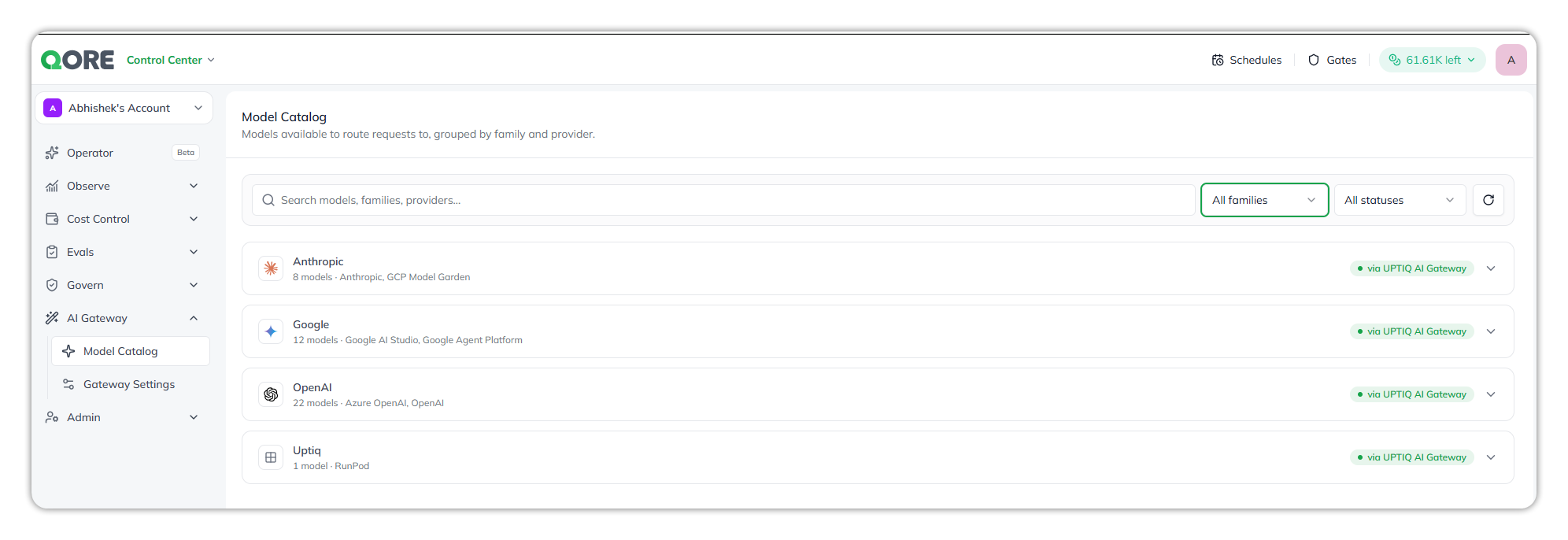
#### AI Gateway for agents
* **Every agent call goes through the** [AI Gateway](/control-center/ai-gateway/how-model-routing-works.md#what-routes-through-the-gateway): chat, reasoning, tool calls, document classification, summaries, conversation titles, and knowledge queries.
* **Model families:** OpenAI and Gemini in production. Other model families are on Dev and RC only.
* **One place for model control:** each tenant's enabled models, usage tracking, and provider error handling are applied in one place.
> **Picture this:** A prospect asks who controls which models teams can use. The answer is one place, not one per agent.
#### Smarter model routing and outage recovery
* The [AI Gateway](/control-center/ai-gateway/how-model-routing-works.md#when-a-call-cant-be-served-first-time) routes and recovers based on the required output format.
* When a provider is overloaded or down, users see a plain message.
* Retries no longer pile up.
* *Why it matters:* when a provider has a bad day, users get a clear message instead of a spinning wheel.
#### Sign-in and access
* [Microsoft SSO and Entra ID](/control-center/admin/single-sign-on.md) support, with directory support.
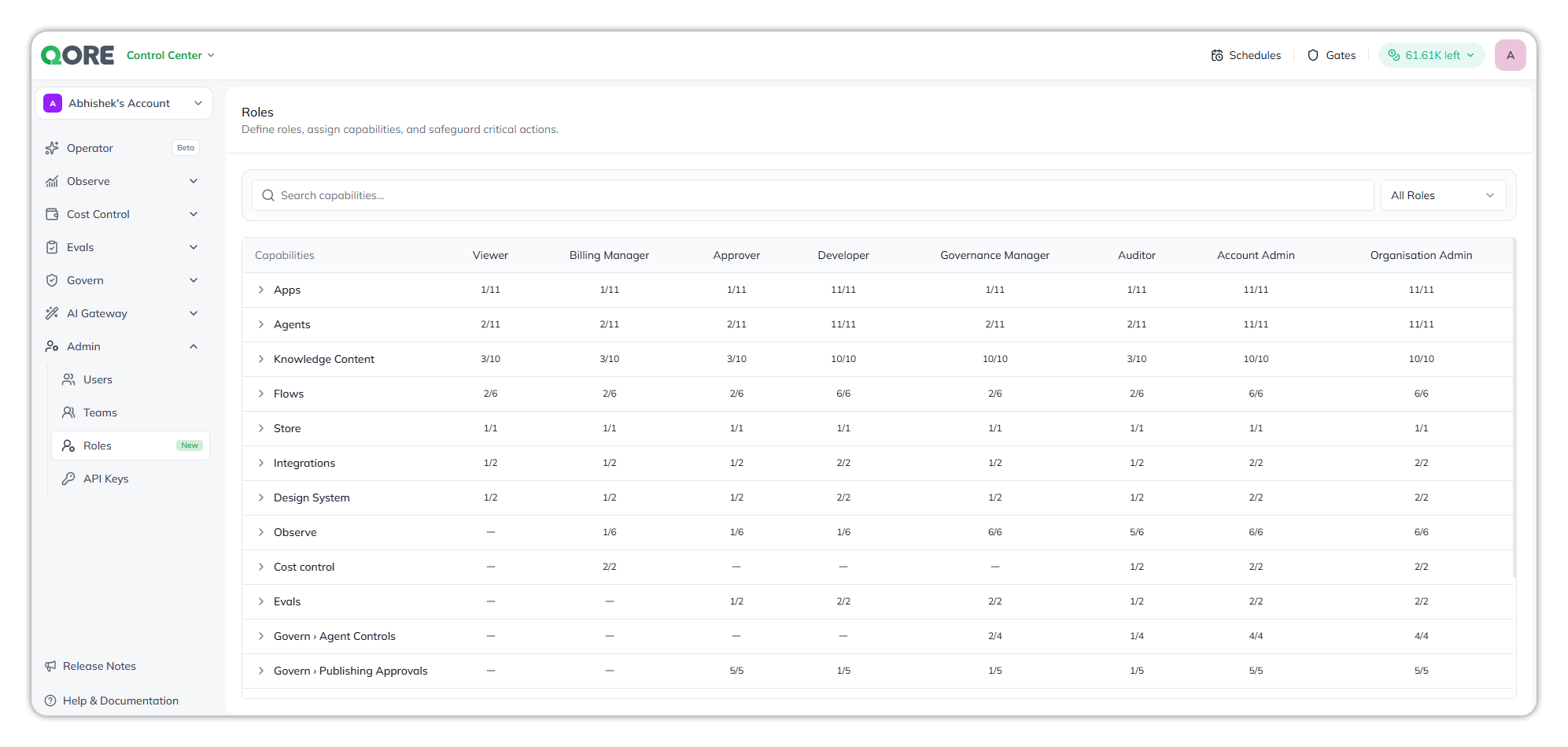
* [RBAC revamp](/control-center/admin/roles.md), with capabilities.
* [Authentication tab on agents](/console/agent-builder/deploy/authentication-1.md): builders can require callers to sign in through Microsoft Entra or Google.
* Embedded chat widgets can pass the end user's sign-in token, or users can enter it with the new [Setup Identity Token](/console/agent-builder/deploy/authentication-1.md#setup-identity-token) button *(available on request)*.
> **Picture this:** An internal HR assistant only people signed in through the company's identity provider can use.
#### Visibility and control
* [Pinned projects](/console/projects.md#pin-a-project): pin the projects you use most often, so you can resume work on them every time.
* [Stopping a system agent](/control-center/govern/agent-controls.md#stop-a-system-agent) now also stops every run and helper agent it started.
* New [Connectors](/control-center/govern/connectors.md) page in Control Center:
* Tabs: **Integrations**, **MCP Servers**, **Platform Skills**.
* Next release target → shows which agent uses each one, with filtering and search.
* [Embedding Logs](/control-center/observe/llm-logs.md#embedding-logs) in LLM Logs record every call to an embedding model.
#### Agent export by email
* [Large exports](/console/agent-builder/deploy/export-agent.md) used to time out in the browser.
* Now you get an email with a download link, plus any export warnings.
{% endcolumn %}
{% endcolumns %}
{% columns %}
{% column width="33.33333333333333%" %}
## :people-group: Operator
{% endcolumn %}
{% column width="66.66666666666667%" %}
[Operator](/core-concepts/operator.md) runs and manages complex work across the platform.
#### Automation
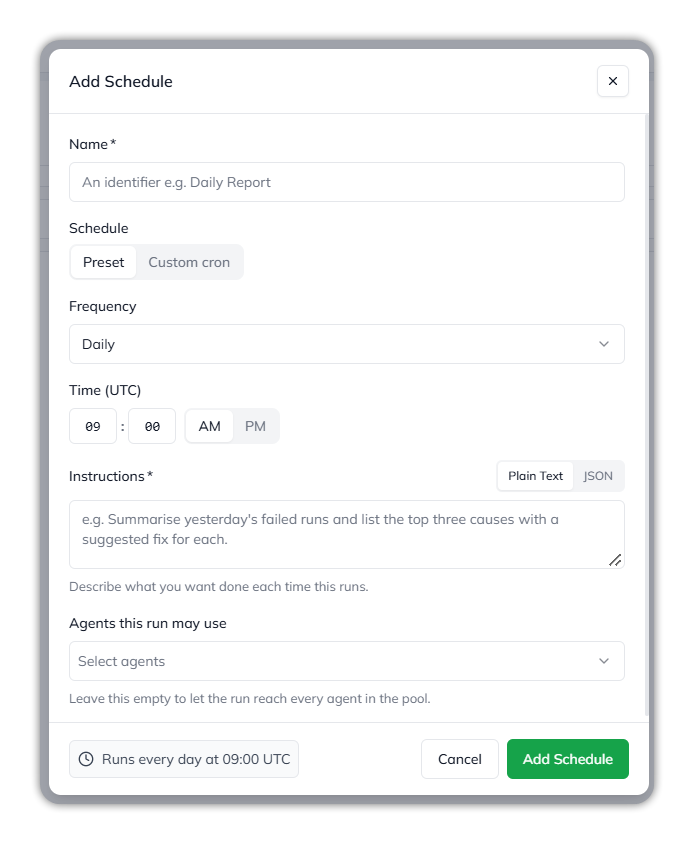
* [Schedule triggers](/console/console-operator/schedules.md): run an Operator daily, hourly, and so on, with no manual start.
> **Picture this:** A recurring task kicks off every morning before the team logs in.
* **Long-running builds in the background:**
* App Builder and Knowledge Builder tasks run as tracked background tasks, not one call that can time out.
* The Operator shows progress and picks up the result when the task finishes.
#### Staying in control
* [Gates](/console/console-operator/gates.md) in the top bar of Console and Control Center:
* Lists every conversation you started that stopped to ask a question or for permission.
* Nothing waiting on you gets lost in chat history.
* **File uploads in Ask User:** an agent can ask you to upload a file as your answer, and these show up in Gates.
* [Per-message model and effort choice](/console/console-operator.md): applies to that message only, not the whole conversation.
#### Connections
* [**List integrations tool**](/console/console-operator/agents-and-connections.md)**:** the Operator can list available and connected integrations, and tells you which connection to switch on or connect when it lacks a tool.
* Connection selection in the Operator composer and dashboard input.
#### More Operator capabilities
* **Account Management MCP:** manage the platform account from the Operator.
* **Doc Template** create, read, update, and delete support in Operator tools.
{% endcolumn %}
{% endcolumns %}
{% columns %}
{% column width="33.33333333333333%" %}
## :robot: Agents & Builders
{% endcolumn %}
{% column width="66.66666666666667%" %}
#### MCP connections
* [Connect MCP servers](/console/agent-builder/build/mcp-tools.md) with [OAuth client credentials (M2M)](/console/agent-builder/build/mcp-tools.md#connect-with-client-credentials), with no user sign-in needed.
* One badly shaped tool no longer breaks the whole server connection.
* The per-user sign-in link now shows up in chat while the tool runs.
#### Agent Builder and Flow Builder
* [Agent Builder and Flow Builder](/console/agent-builder/the-canvas.md) agents are now on the latest engine ([executor 1.4](/console/agent-builder/build/runtime-and-versioning.md)), the same as user agents, with newer capabilities and model support.
* **Export App** and **Export Agent** moved to the right-panel header.
* Chats are saved in chat history, so you can start a new chat on the same agent while retaining the past conversation.
* Redesigned Agent Builder header with **Flow** and **Overview** tabs.
* New **Report Issue** action in the chat header.
#### New agent capabilities
* The agent that builds agents now has [Knowledge Builder agent skills](/console/agent-builder/build/attaching-knowledge-to-an-agent.md).
* [Knowledge Graph Search](/console/agent-builder/build/attaching-knowledge-to-an-agent.md#attaching-a-governed-graph) skill for agents, to query a governed graph.
* New **Platform Q\&A agent**, backed by the GitBook documentation.
#### Fixes
View agent and builder fixes
* Importing an agent no longer fails because of an integration config in a different project.
* Agents with deprecated features and agent-attached knowledge now import and export correctly.
* A conversation no longer gets stuck when an agent's question to the user is lost.
* A brief error no longer flashes when switching an agent's executor version.
{% endcolumn %}
{% endcolumns %}
{% columns %}
{% column width="33.33333333333333%" %}
## :scale-balanced: Evaluations & Human Review
{% endcolumn %}
{% column width="66.66666666666667%" %}
[Evaluations and Human Review](/control-center/evals.md) help teams measure agent quality and review outcomes.
#### Offline evals
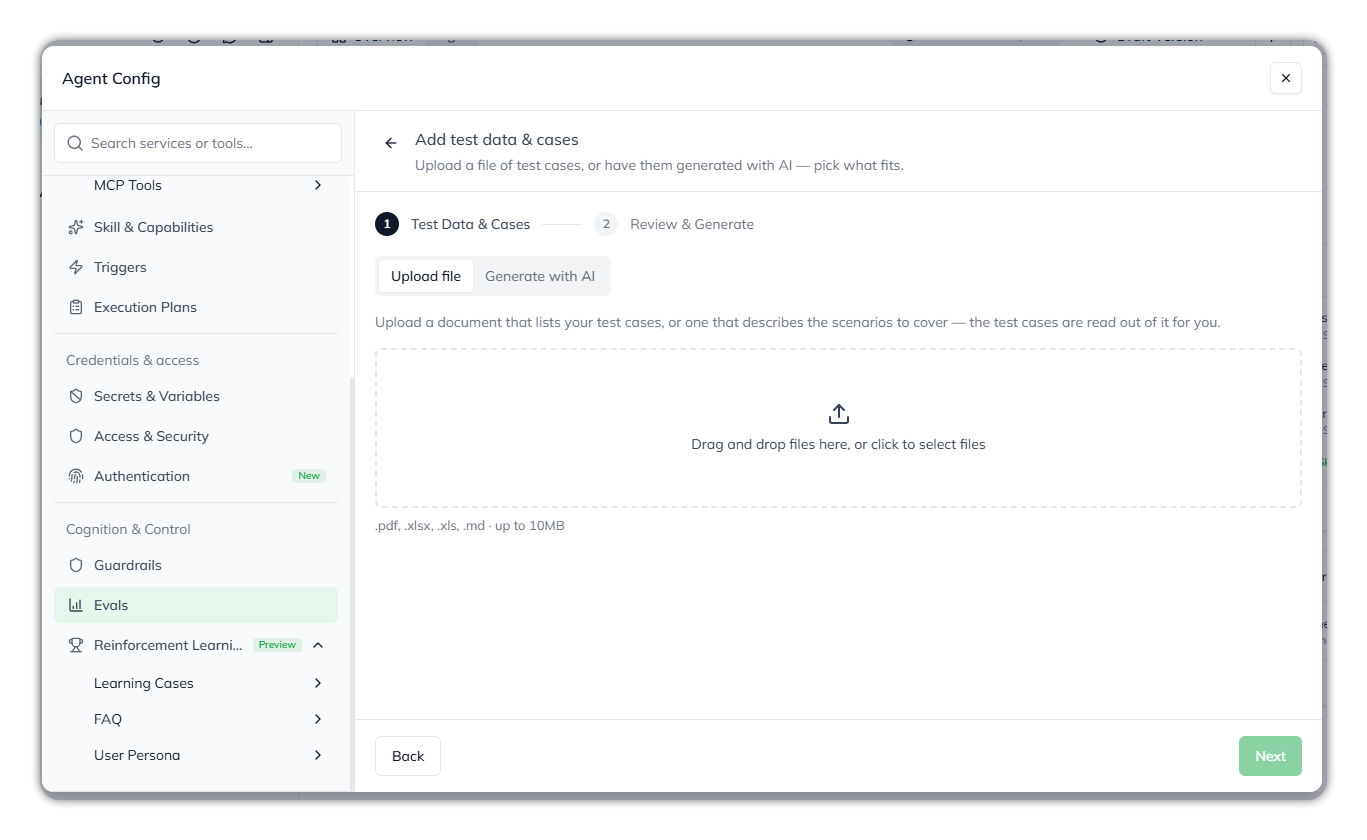
* [Build an offline eval dataset](/console/agent-builder/test/evals.md) from an uploaded document, on a new in-page creation screen.
> **Picture this:** Upload a document and provide the test cases. You can also create auto-generated test cases using AI.
#### Online evals
* [Online evals](/control-center/evals/online-eval.md) include [faithfulness evaluation](/control-center/evals/evaluators.md). It checks whether the agent's answer stays true to source documents and tool results, and flags made-up content.
> **Picture this:** A direct answer to “How do we know the agent isn't making things up?”
> {% endcolumn %}
> {% endcolumns %}
{% columns %}
{% column width="33.33333333333333%" %}
{% endcolumn %}
{% column width="66.66666666666667%" %}
#### Runs and scores
* **Per-evaluator runs with Pending and Failed states:**
* Each evaluator gets its own run.
* See queued, running, completed, and failed evaluations, not just finished scores.
* A failed run shows its reason.
* New **Runs** tab in **Control Center → Online Eval**.
* Project filter on **Scores** and **Runs**, so agents with the same ID in different projects no longer get mixed up.
* **More detail on each score:**
* Shows the points the judge based its verdict on.
* Links to the exact conversation judged, in Online Eval and [Human Review](/control-center/evals/human-review.md).
* Assign agents to an evaluator, with clearer on/off controls per agent.
* **Screen polish:** back button in the eval detail header, and a **Scored** column in the Online Eval list.
#### Models and billing
* **Judge models:**
* The picker lists only models the tenant has enabled in the AI Gateway.
* Now searchable.
* Jury models can be mixed across providers.
* **Billing:** online-eval model usage appears on its own line in [Cost Control → Credit Usage → Review credit usage](/control-center/cost-control/credit-usage.md#review-credit-usage).
{% endcolumn %}
{% endcolumns %}
{% columns %}
{% column width="33.33333333333333%" %}
## :book-open: Knowledge Hub & Knowledge Builder
{% endcolumn %}
{% column width="66.66666666666667%" %}
[Knowledge Hub and Knowledge Builder](/console/knowledge.md) help teams create, manage, and use governed knowledge.
#### Keeping knowledge current
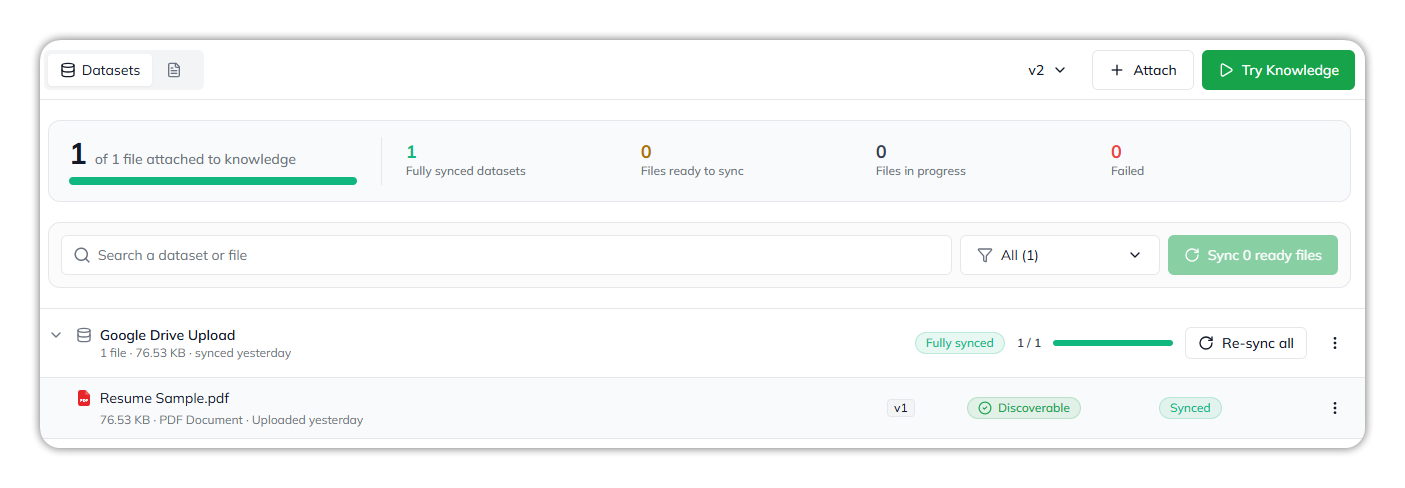
* [Knowledge Sync and Dataset Auto-Sync](/console/knowledge/sync-and-versions.md).
* Upload new versions of files from Google Drive, OneDrive, SharePoint, and websites to existing datasets.
* Knowledge and file versioning.
> **Picture this:** A policy document gets updated. Add its new version to the existing dataset instead of starting over.
#### Finding and checking content
* [Semantic search](/console/knowledge/datasets.md) on data sources, on the Dataset page and in Knowledge Builder and Agent Builder chat.
* [Preview before sync](/console/knowledge/document-processing.md): summary and raw extraction results in a dataset view with intermediate results.
* New **Preview** tab and **Dataset Sync Ledger** in Knowledge Hub.
#### Ingestion
* [Combine crawled website pages](/console/knowledge/datasets.md) into a single data source.
* Duplicate ingestion issue fixed *(hotfix on 2.15.2)*.
* Google Drive uploads are no longer limited to PDFs.
#### Experience
* Redesigned Knowledge Builder header.
* Content tab aligned to the new design, with table-of-contents scrolling.
* [Knowledge Playground](/console/knowledge/try-knowledge.md) moved to its own page.
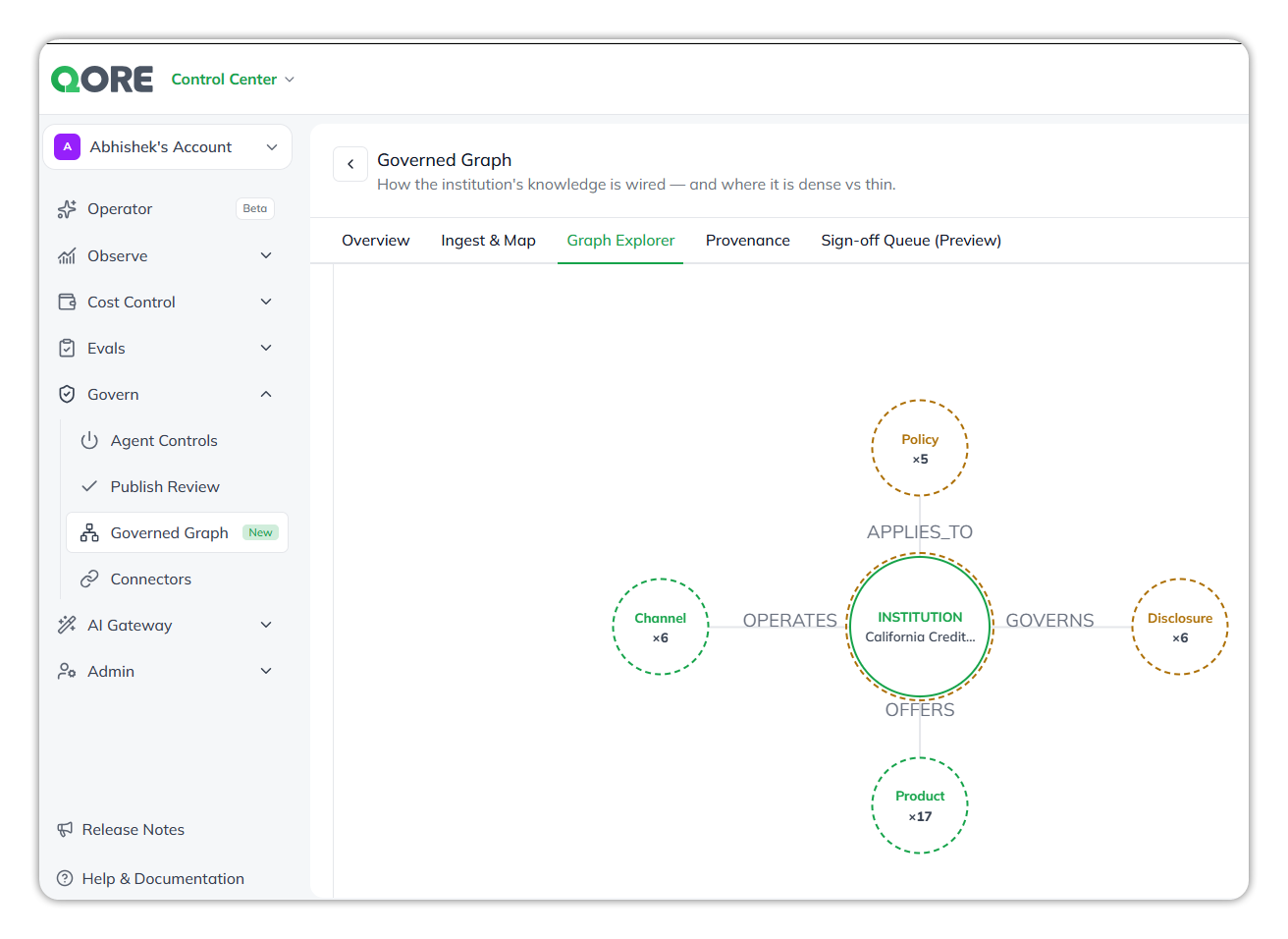
* [Govern Graph](/control-center/govern/governed-graph.md): view, download, and rename.
{% endcolumn %}
{% endcolumns %}
{% columns %}
{% column width="33.33333333333333%" %}
## :swatchbook: App Builder & Design System
{% endcolumn %}
{% column width="66.66666666666667%" %}
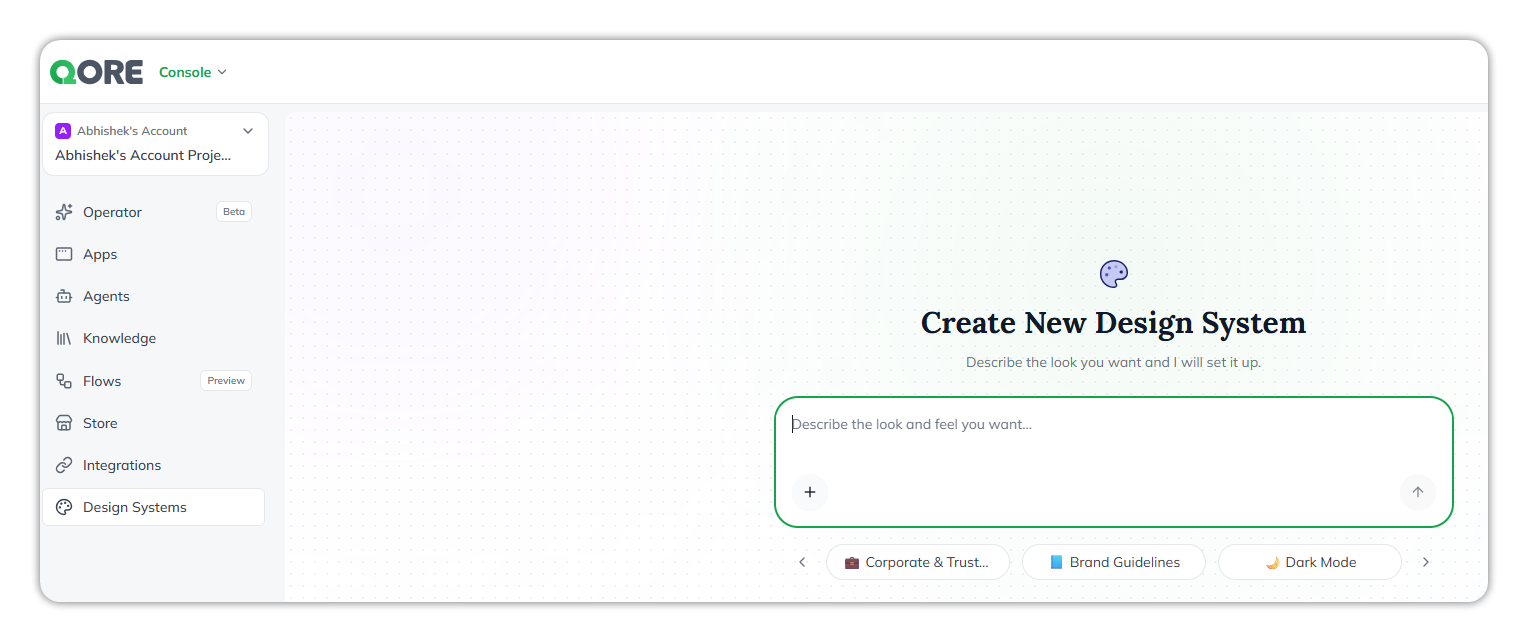
* [Design System Builder](/console/design-systems.md): new agent and chat session for building design systems.
* Configured fonts are applied in generated applications.
* Design system versioning.
> **Picture this:** Generated apps can follow a customer's own design system, including its fonts.
* **Design System home page** with tables, filters, and font selection.
* [App Builder](/console/app-builder.md):
* Model search, with the default model logo shown.
* Pagination for Operator App Builder versions.
* Images rendered inside Markdown messages.
* **Fixes:**
* Long-running App Builder sessions no longer hang.
* AI Gateway caching and thought-signature fixes address App Builder hallucinations.
{% endcolumn %}
{% endcolumns %}
{% columns %}
{% column width="33.33333333333333%" %}
### :sparkles: Everyday Usability
{% endcolumn %}
{% column width="66.66666666666667%" %}
* Standardized modal sizes and a same-name menu pattern across builders.
* Tidier spacing and a shared help banner.
* Widgets SDK: **Show More** on long user messages.
* Dark mode on dev and RC only, for the QORE default theme.
{% endcolumn %}
{% endcolumns %}
{% columns %}
{% column width="33.33333333333333%" %}
### :bug: Bug Fixes & Security
{% endcolumn %}
{% column width="66.66666666666667%" %}
* Vulnerability fixes.
* Platform analytics fixes.
{% endcolumn %}
{% endcolumns %}
{% hint style="success" icon="rocket-launch" %}
We'll continue to expand on these capabilities in upcoming releases.
*Let us know what you think of this upgrade—keep building, and keep the feedback coming!*
{% endhint %}
---
# Agent Instructions
This documentation is published with GitBook. GitBook is the documentation platform designed so that both humans and AI agents can read, navigate, and reason over technical content effectively. Learn more at gitbook.com.
## Querying This Documentation
If you need additional information that is not directly available in this page, you can query the documentation dynamically by asking a question.
Perform an HTTP GET request on the current page URL with the `ask` query parameter, and the optional `goal` query parameter:
```
GET https://docs.uptiq.ai/release-notes/2026/october-4.md?ask=&goal=
```
`ask` is the immediate question: it should be specific, self-contained, and written in natural language.
`goal` is optional and describes the broader end goal you are ultimately trying to accomplish on behalf of the user. GitBook uses it to tailor the answer towards what is most useful for that goal.
The response will contain a direct answer to the question and relevant excerpts and sources from the documentation.
Use this mechanism when the answer is not explicitly present in the current page, you need clarification or additional context, or you want to retrieve related documentation sections.