> For the complete documentation index, see [llms.txt](https://docs.uptiq.ai/llms.txt). Markdown versions of documentation pages are available by appending `.md` to page URLs; this page is available as [Markdown](https://docs.uptiq.ai/console/agent-builder/deploy/guardrails.md).
# Guardrails
Protect agent runs with PII masking, tool approval, and model policies.
Guardrails are the safety controls that protect your agent at every stage of a run — masking sensitive data before it reaches the model, pausing risky tool calls for human approval, and holding the agent to an approved set of language models. Find them at **Manage Agent → Guardrails**, under *Cognition & Control*.
{% hint style="info" %}
**Preview.** Guardrails is a Preview feature — controls and labels may change.
{% endhint %}
### Configure guardrails
Use these pages to configure the guardrails that you manage per agent:
* [PII masking](/console/agent-builder/deploy/guardrails/pii-masking.md) — choose a detection provider, entity rules, and tokenization coverage.
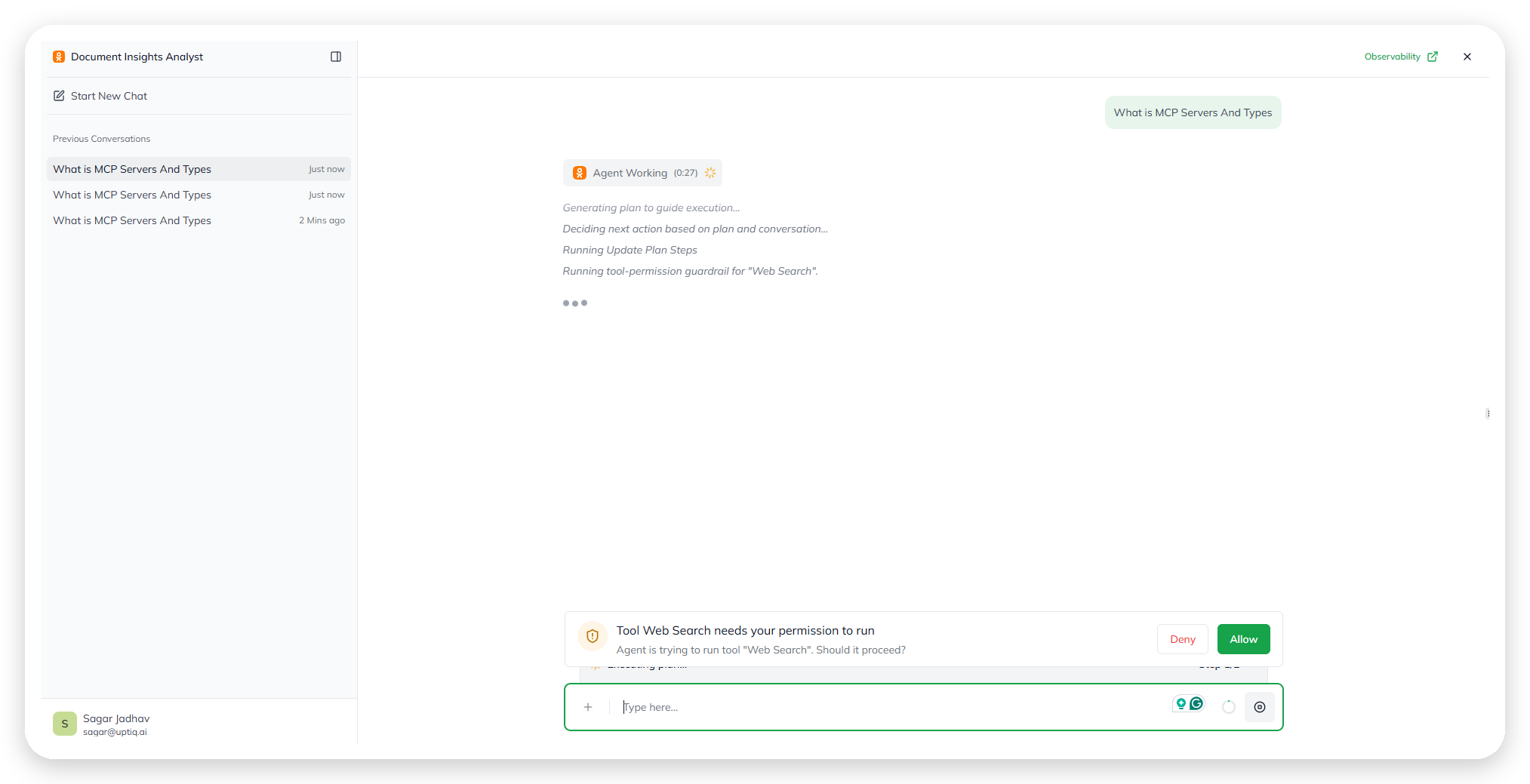
* [Tool execution approval](/console/agent-builder/deploy/guardrails/tool-execution.md) — require a user’s approval before selected skills run.
## How guardrails work
Open the page from **Manage Agent → Guardrails**. You'll see a single list of guardrails, each with a **Name**, a **Type**, and a **Status**. The header summarizes the set — for example, *"4 guardrails · 2 enforced by the AI Gateway."*
The Guardrails page, listing all four guardrails.
The Status column holds two kinds of control:
* **Toggle** — you turn the guardrail on or off for this agent. *Sensitive Data Masking* and *Tool Execution Approval* work this way.
* **Always enforced** — the guardrail is locked on and can't be turned off here. *Allowed LLM Families* and *Allowed LLM Providers* work this way; they're enforced centrally by the [AI Gateway](/control-center/ai-gateway.md) — the platform layer every model request passes through — and set by your organization, not per agent.
To change what a toggleable guardrail covers, use the **gear** at the end of its row. That opens the guardrail's own configuration screen — the entity list for masking, or the skills list for tool approval.
| Guardrail | Type | Configurable here? |
| ----------------------- | ----------------- | -------------------------------------- |
| Sensitive Data Masking | `Pii Masking` | Yes — toggle + gear |
| Tool Execution Approval | `Tool Permission` | Yes — toggle + gear |
| Allowed LLM Families | `Model Policy` | No — always enforced by the AI Gateway |
| Allowed LLM Providers | `Model Policy` | No — always enforced by the AI Gateway |
## Model policy guardrails
*Allowed LLM Families* and *Allowed LLM Providers* are both `Model Policy` guardrails. They show as **Always enforced** — locked on and applied by the [AI Gateway](/control-center/ai-gateway.md) to every model request, so they can't be toggled off per agent. The approved sets are configured by your organization in the AI Gateway, not on this page.
### Allowed LLM Families
Restricts the agent to an approved set of model *families* — a family is a group of related models (for example, GPT or Claude). The agent can only use models from families your organization has approved.
### Allowed LLM Providers
Restricts the agent to an approved set of *providers* — the vendors that host the models (for example, OpenAI, Anthropic, AWS Bedrock, or Azure OpenAI). The agent can only route requests to providers your organization has approved.
## Guardrails page controls
UI inventory — the Guardrails page
| Element | Description | When to use it |
| ------------------------- | ------------------------------------------------------------------------------------------------------------ | ------------------------------------------------------------------- |
| Header summary | Count of guardrails and how many are gateway-enforced (e.g. *"4 guardrails · 2 enforced by the AI Gateway"*) | Read to confirm how many controls are active |
| **Name** column | The guardrail's name | Identify the guardrail |
| **Type** column | The guardrail's category — `Pii Masking`, `Tool Permission`, or `Model Policy` | Tells you what the guardrail acts on |
| **Status** toggle | Turns a toggleable guardrail on or off for this agent | Enable or disable Sensitive Data Masking or Tool Execution Approval |
| **Always enforced** badge | Marks a guardrail that is locked on by the AI Gateway | Signals a Model Policy guardrail you can't change here |
| **Gear** | Opens the guardrail's configuration screen | Configure the masking entities or the approval skills list |
## Why this matters
* Guardrails catch problems at the earliest point they're detectable — before the model sees data, before a tool runs, before a disallowed model is used.
* Masking, tool approval, and model policy each protect a different stage of a run.
* The safe defaults (mask common PII, no forced approval, org-approved models) fit almost every agent.
## Related
{% content-ref url="/pages/zH9Bsg8FxRdLqitlHI8J" %}
[Runtime & Versioning](/console/agent-builder/build/runtime-and-versioning.md)
{% endcontent-ref %}
{% content-ref url="/pages/rGXmqmGrFNaJnqEn7wCA" %}
[Monitor](/console/agent-builder/monitor.md)
{% endcontent-ref %}
{% content-ref url="/pages/I59HzEvpXa0tjAaqrtTo" %}
[Glossary](/start-here/glossary.md)
{% endcontent-ref %}
---
# Agent Instructions
This documentation is published with GitBook. GitBook is the documentation platform designed so that both humans and AI agents can read, navigate, and reason over technical content effectively. Learn more at gitbook.com.
## Querying This Documentation
If you need additional information that is not directly available in this page, you can query the documentation dynamically by asking a question.
Perform an HTTP GET request on the current page URL with the `ask` query parameter, and the optional `goal` query parameter:
```
GET https://docs.uptiq.ai/console/agent-builder/deploy/guardrails.md?ask=&goal=
```
`ask` is the immediate question: it should be specific, self-contained, and written in natural language.
`goal` is optional and describes the broader end goal you are ultimately trying to accomplish on behalf of the user. GitBook uses it to tailor the answer towards what is most useful for that goal.
The response will contain a direct answer to the question and relevant excerpts and sources from the documentation.
Use this mechanism when the answer is not explicitly present in the current page, you need clarification or additional context, or you want to retrieve related documentation sections.